
CM Storm Trigger Mechanical Keyboard
The CM Storm Trigger is the first gaming mechanical keyboard I have ever owned. I have used the Thermaltake Meka G1, but my day to day keyboard was a Logitech K350. Using the CM Storm Trigger Mechanical Keyboard at first was slightly awkward and interesting all at the same time. While the cherry MX blue keys may not be the best for gaming, I have found that I can game without any issues with blue keys.
This is the first mechanical keyboard review that we are doing from Cooler Master and is not a shock that they have them since most of their products are geared towards gaming. Now let us dive into the nitty gritty of what this keyboard has and how it works!

Cooler Master Storm Trigger Mechanical Keyboard
Specs and features from CMStorm.com
Features:
- High durability gold-plated Cherry switches rated for over 50 million key strokes
- Multi-media control keys for convenient sound control
- 5 macro keys with profile management
- 18K gold plated ultra-low latency USB plugs
- Anti-ghosting 6 key rollover
- 64KB on-board memory for profile storage
- Storm tactics key for deactivation of Windows key
- 1000Hz driverless polling / 1ms response time
- Two port enhanced USB 2.0 hub
- Detachable wrist rest
- Braided cable for durability
- Non-slip rubber coating
Specs:
- Brand: Cooler Master
- Name: CM Storm Trigger
- Keyboard Interface: USB Keyboard SPEC
- Design Style: Gaming
- Palm Rest: Detachable
- Keyboard: Color Black
- Dimensions: 18.7(L) x 6.5 (W) x 0.98(H) inch
What’s inside the box?
- CM Storm Trigger Mechanical Keyboard
- USB cable to desktop
- Arm rest
- Software information card
- Quick Start Guide
Installation:
Installation of this keyboard was very straight forward. If came with a USB cable you plug into your PC and it instantly starts working. While it is recommended you download the software to gain complete control over this keyboard you would not have to for basic functionally.
Software:
The software is easily downloaded at CMStorm.com under support. After you have installed the program you will come up to a screen like this. This utility lets set keys to whatever you like. The left storm key is not set as a windows key by default but you can set it to that if you like.
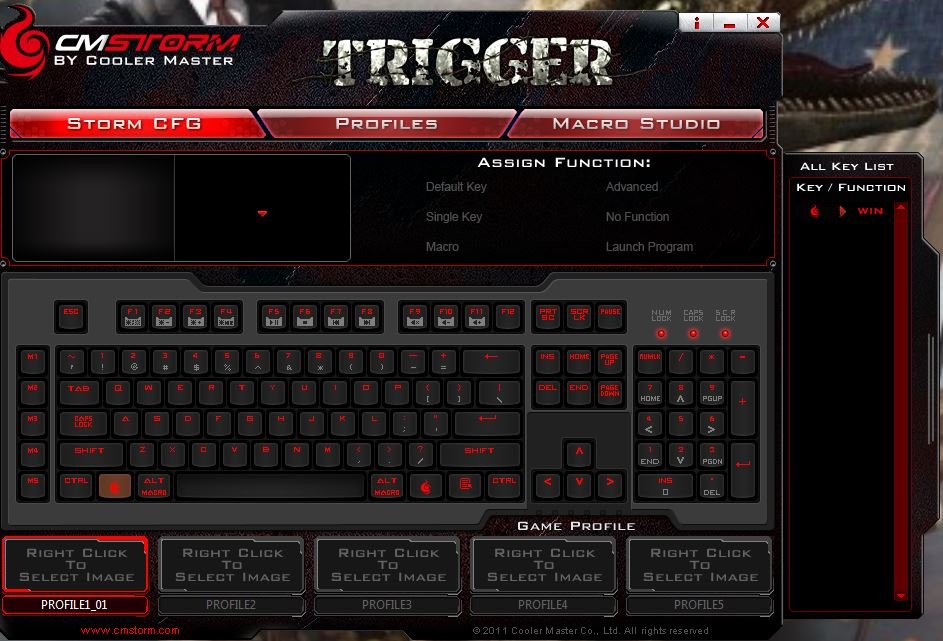
Cooler Master Storm Trigger Mechanical Keyboard Software 1
Under profiles it gives you the option to create, delete, copy, and apply new profiles you have made or setup.
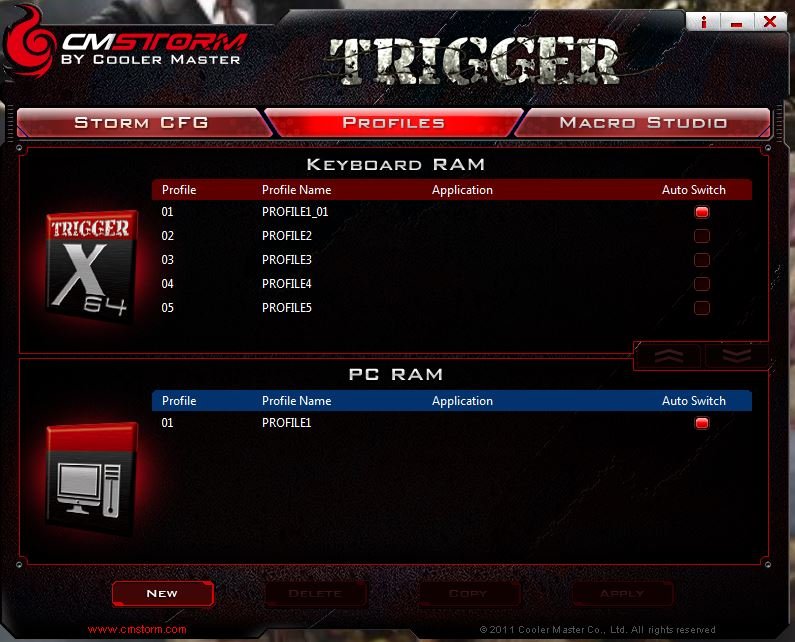
Cooler Master Storm Trigger Mechanical Keyboard Software 2
Last but not least is the macro studio tab. This screen lets you create custom macros for your keyboard. On the left side of the keyboard you have 5 keys specially for this.
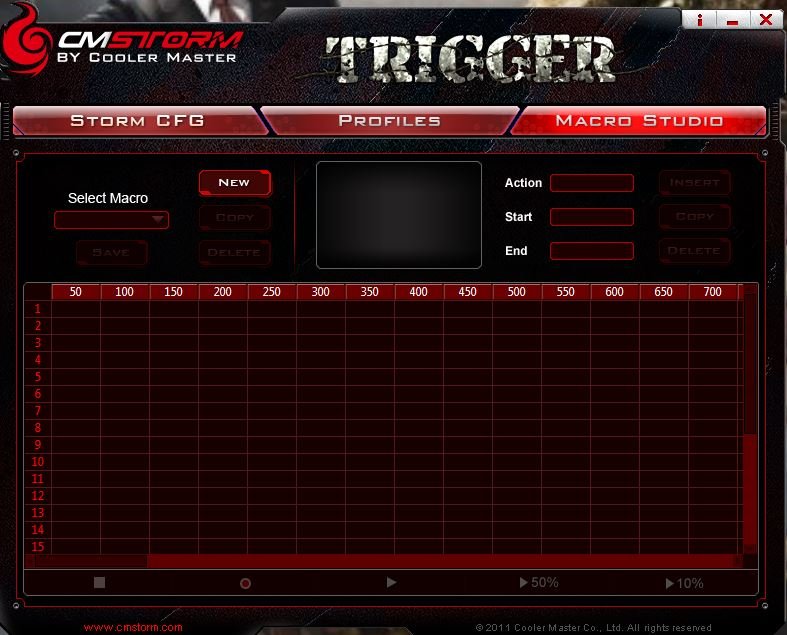
Cooler Master Storm Trigger Mechanical Keyboard Software 3
Overall the installation is pretty easy. The only hiccup that “may” be an issue is every time you do anything in the program it ask you to wait 30 seconds before doing anything so it can save the information. I have noticed on my PC it usually takes 5-10 seconds but I only have 1 profile setup so far.
Hardware:
This review is going to cover cherry mx blue switches but they do offer it in black, blue, brown, and red switch types. As I said earlier you have 5 macro keys on the left, F5-F11 keys are the controls for audio or video by using them in conjunction with the “Storm” key.
F1-F4 controls the back lighting on this keyboard. Here is where I have to take off a point for this keyboard. This isn’t the keyboards fault but is Cooler Master’s. When you look at the plugs in back of this keyboard it has two USB ports which is fantastic, a mini USB plug to go to your PC, but it also has a DC 5V plug. This power plug is to get more back lighting options. I did not have a spare on to use and just have not ordered one at the time of this review. I have seen multiple people suggest this power supply from Amazon.com but im sure any that have the correct specifications will work. While this is an inconvenience the keyboard does have quality back lighting for all the normal keys which give it a red under glow. For what you get right out of the box, the blue keys, and how solid this keyboard is I love it! I just wished Cooler Master would have included the plug even if it meant raising the price up a few dollars for this keyboard. Also as far as back lighting goes, you have separate modes. One that lights up all the keys and another that just lights up the WASD keys, arrow keys, and macro keys. There is one more mode but you need the power plug to use it. You also can change how bright or dim with the function keys.

Cooler Master Storm Trigger Mechanical Keyboard USB
Let us change pace also and get into what it means to have cherry mx blue keys. Blue keys are typically associated for typing. When using them you feel a small bump and have a lot of clicking. The switch in the key is actuated when you press the key halfway down. This is good for typing faster as you do not have to use as much effort or “bottom out” on the key. Compared to the other keys it has a lighter feel and could be louder than the other cherry mx switches. Below is just an example of what it looks like when the key is taken off. These will be different depending on switches.

Cooler Master Storm Trigger Mechanical Keyboard Keys
One last thing to cover is how rock solid this is when placed on your desk. It does not move at all. You actually have to put some effort into it to get movement left, right, up, or down. The wrist or arm rest that comes with this keyboard is very sturdy and just pops into the keyboard with minimal effort. There is no padding that comes with attached to the rest but it does not flex with weight on it. The keyboard also has height stands on the bottom if you want the keyboard raised up about an inch.

Cooler Master Storm Trigger Mechanical Keyboard Lights
Performance:
Any given day I am usually playing a first person shooter and more than likely that is Battlefield 3. My trusty Logitech K350 served me well but I was ready to move up in the world of keyboards to mechanical. When navigating to the WASD keys at first may be slightly difficult due to being a new keyboard. Unlike other keyboards that change the feel of these keys they blend in with the rest of the keyboard. This is also where another handy back lighting feature comes into play. You can change the modes and have it just light up the WASD keys to see easier at night although I still prefer all the keys to be lit up.
Would I recommend these for a gamer?
For all intents and purposes even with blue keys this is definitely a gamers keyboard and I would recommend it along with buy the extra power plug to get the most out of this keyboard.
Personal Overview:
Personally I am still ecstatic still about this keyboard since I got it. I type faster; I feel as if I can move faster in a game and love the clicking that this keyboard gives off. Since Cooler Master has made the CM Storm Trigger available for all the cherry mx keys, it can appeal to a broad audience. Anyone can enjoy this keyboard with their key preference. The layout works great , especially after you have programmed it to how you like. You have macro keys for gaming and a full layout of keys unlike the Quickfire. Although you need the power plug to make them work, the 2 USB ports in the back you can plug a mouse or memory sticks into. You can buy this keyboard at either Amazon.com or Newegg.com for about $115. Depending on your cherry mx key selection it can cost more or less.
While I love all the features that the CM Storm Trigger has to offer I have to give it an 8/10. The extra DC 5V power plug makes this keyboard lose to many things such as full back lighting and USB input function to give it a 9 or 10, but I do recommend it based off what it offers out of the box and the software Cooler Master made to go along with it.

Photos from CM Storm Trigger Website
LOVELY Specs, it is the Best Gaming Keyboard from Cooler Master.
Looks 10/10, Software is also Powerful, LOVE to get Hands-on it.
Love the look, silver on black. Good price too.
That’s one of the top mechanical keyboards out in the market!
I’ve always used regular keyboards for my gaming, I think that a mouse is more important than a keyboard, but that’s just my opinion =P
very good keyboard, and is one of the top mechanical keyboards out, but I can’t say I enjoy the look all that much.