
ModCrash tested the latest version of the Corsair H100i and we like it
I have been using the Corsair H100i in some of my personal PCs at home since its first debut in 2012. Since then, we have seen several variations. Some good, some, well… you know, bad. The H100i Pro is definitely one of the better. We tested the H100i Pro on Intel and AMD systems and came up with some pretty impressive results.
Corsair H100i Pro Overview
At first glance, you can immediately tell this version of the Corsair H100i is different. First off you notice that the CPU block is now gray and black versus the all black in previous models. You also notice that the tubing seems much thinner than previous versions of the H100i as well. We still have the same signature gray and black corsair fans and the radiator almost looks the same. Now, the Corsair logo is in the center of the radiator on both sides giving a visually, near classy look. Packaging is still the same too. Well, if it isn’t broke, don’t fix it.
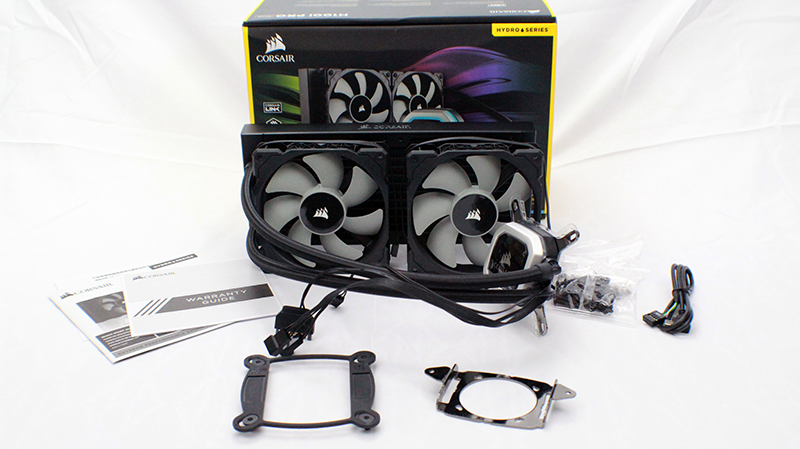
Corsair H100i Pro RGB Specs
Corsair H100i Pro Features
First of all the H100i Pro now offers RGB lighting on not only the Corsair logo but around the CPU block as well. The lighting is brighter and much more responsive that will move nicely if you have multiple components linked in iCue.
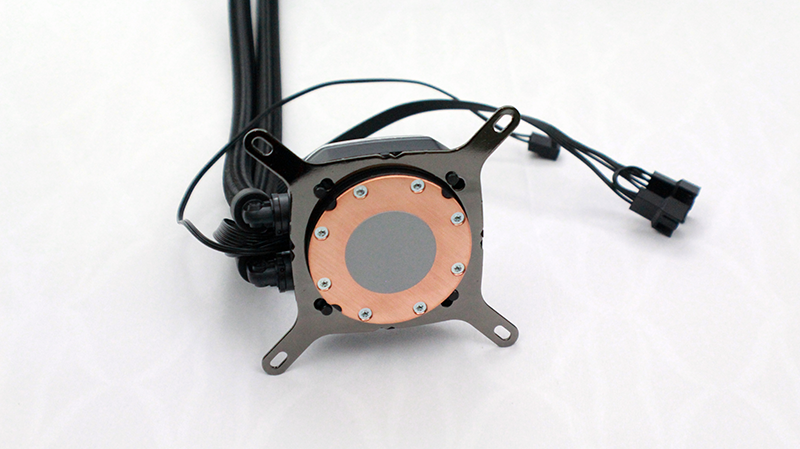
The CPU Block is made out of copper. Because of this, heat is transferred reducing temps efficiently. Out of the box, the thermal paste that comes with the Corsair H100i Pro is almost perfect. Unless you’re an enthusiast nut, you can just the pre-applied thermal paste.
The fans are now the ML (magnetic levitation) series and as a result seem much quieter than their predecessors. This allows them to push more air at lower noise levels. The PWM fan-speed control can run the fans between 400 RPM to 2,400 RPM.
You have total control over your fan and pump that you can even initiate Zero RPM cooling profiles. This also allows you to stop your fans at low temperatures which can come in handy when you want a little quiet. You are even able to have your pump run at a lower RPM which gives even more silence.
When using the Corsair Link software you are also able to control your fan and pump speed. This gives you total control over noise and performance. Also, the Corsair Link software allows you to control the RGB lighting on your Corsair H100i Pro.
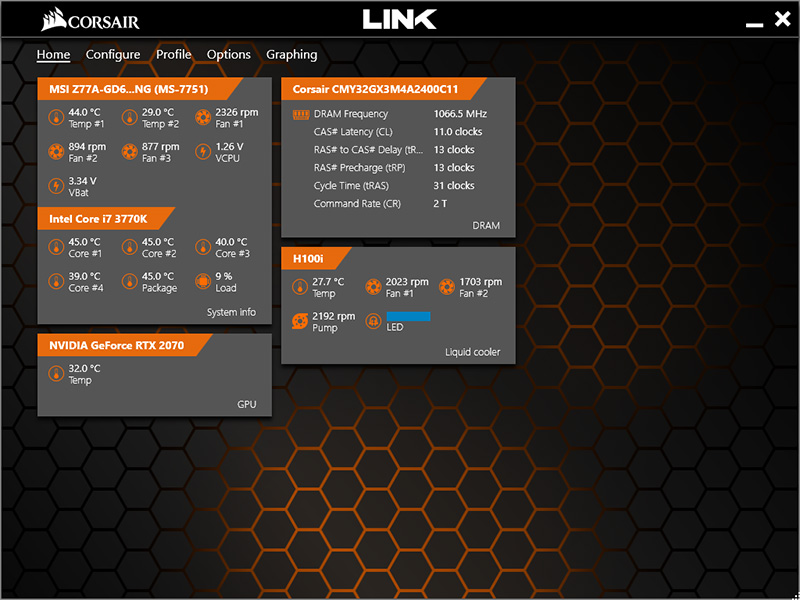
Corsair Link @ 4.5GHz
Corsair H100i Pro Installation
Installation is really simple since the H100i Pro has a tool-free bracket design for the pump. First, you only need a Philips head screwdriver to mount your fans and radiator to your case. As long as you have a modern case, the Corsair H100i can fit in most mid-tower chassis.
We were going to do our own video showing how to install the Corsair H100i Pro but Corsair had a perfect video. So instead of re-inventing the wheel, we decided to share it here.
Corsair H100i RGB Hydro Series Pro

Likes
- Clean Design
- Custom Fan Speed from Zero RPM up
- RGB Lighting is bright and responsive
- Simple Installation
- Magnetic Levitation fans
Dislikes
- Tubing should have rotary functionality on both the radiator and CPU block