
Gaming Mouse Buyers Guide
There comes a time where you need to upgrade from the first mouse you ever received to a true gaming mouse. It’s a tricky process can that quickly lead to disappointment like most of us have expereinced. If you go out and pick a mouse simply because you like the looks or the company you’ll likely find yourself unsatisfied. There is a lot that needs to go into your decision, and by reading this gaming mouse buyers guide, i’m confident you’ll find satisfaction and save yourself both money and sanity in the end.
No mouse is created equal
Before you choose a mouse to purchase, you need to ask yourself four questions. I’ll list them below then go over each one individually.
- What kind games do you primarily play?
- What grip type do you use?
- What features do you desire ?
- What DPI settings are you comfortable at?
What kind of games do you Primarily play?
Not every mouse is developed for every game. Some mice such as the Razer Naga, or the Logitech G600 are developed for MMO players, or players that need an abundance of buttons on their mouse. Whereas, other mice like the Logitech G700, and the Corsair M65 are developed with first person shooters in mind. FPS Mice typically come with much less buttons, and have features that better your control over the mouse than an MMO mice might. Some mice are an exception to that rule, like the Logitech G700, which comes with multiple buttons but still has the FPS look and feel.
What grip type do you use?
A lesser known category which you don’t often see in other Gaming Mouse Buyer Guides, is knowing which type of grip you use. This is by far the most important aspect when buying a gaming mice. A mouse that fits your grip style will allow you better control and increased performance in game. There are primarily three types of grips: The claw grip, fingertip grip, and the palm grip. Let’s review each one so you can decide which grip style you use.
The Claw Grip
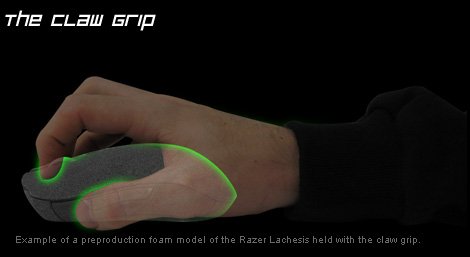
The claw grip and the fingertip grip are very similar. People who use smaller gaming mice will typically use the claw grip due to the size of the mouse. If you aren’t sure if you’re a claw grip or a fingertip grip, hold your mouse like normal, then take your hand off without moving your fingers. If you look like a bird, your a claw grip, if you look like someone casting a spell, you’re a fingertrip grip.
The Fingertip Grip
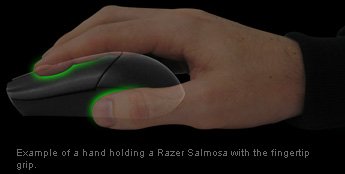
The fingertip grip is the middle ground between the claw and the palm. The main difference is the pads of your fingers rest on the mouse instead of the very tips, and your palm is elevated off the mouse. You’ll probably be fine using any design of mouse if you have this grip type, but it’s still optimal to get one designed for this grip.
The Palm Grip
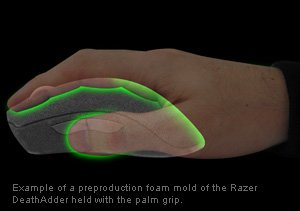
The palm grip is where every part of your hand is literally sitting on the mouse. This is a style that a lot of FPS gamers use, as it allows greater control over the mouse for most people. If you’re a palm grip user, look for a ergonomic mouse, or something that fits the curvature of the hand.
What features do you desire?
Not all gaming mouse buyers guides approach this subject, because it isn’t necessarily as important as the others. However, if you’re looking to spend good money on a solid mouse, I suggest you get what you want the first time.
So when it comes to buying your new mouse you’ll want to find what’s important to you. Some mice come with software, some mice come with weights, and some mice come with all sorts of buttons, colors, adjustments, and the list just goes on.
Why is mouse software important?
Perhaps you live in a household where the computer you use is shared between different users. Some mice offer the option to save user profiles both through system software, and on-board memory on the mouse. As an added bonus, if the profiles are saved using internal mouse memory, then you can take that mouse to any computer and your user profile will remain saved. If you’re into LAN gaming, internal memory may be exactly what you’re looking for.
Besides user profiles, packaged software usually allows you to custom map keys to certain buttons, change your DPI, polling rate, and some even allow macros. The options can be endless, and manufacturers have been rolling out more options as mice progress further.
Here’s the software that comes with my Level 10M. Don’t judge it too much, I’m the type of person who finds settings that I like and never touches the software again.
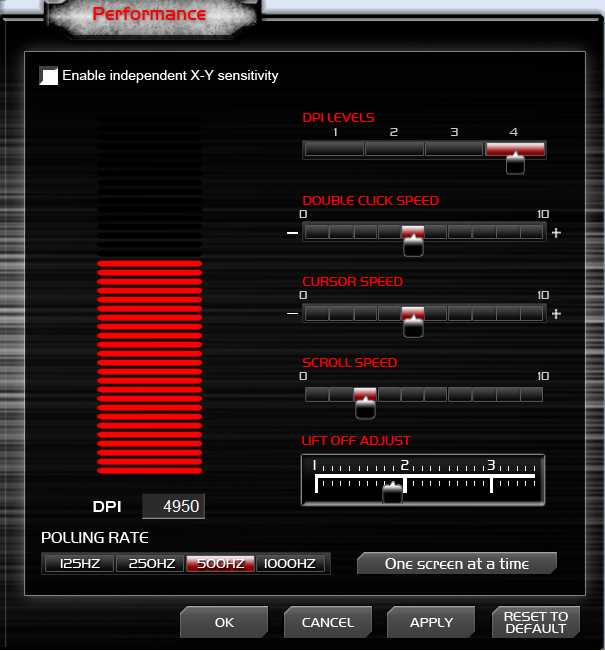
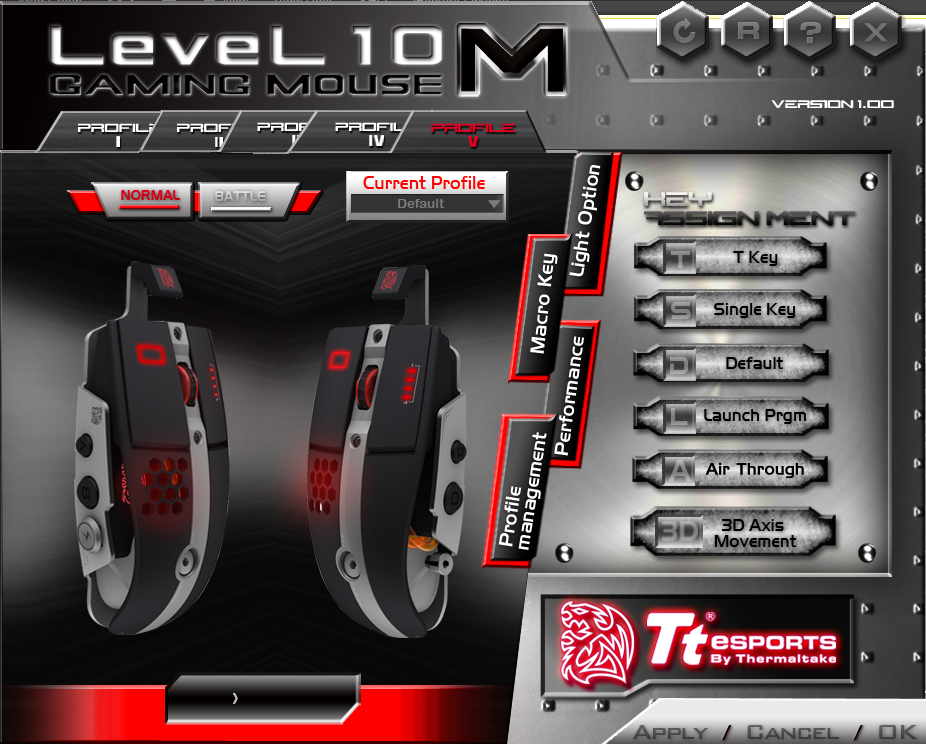
If you look at the bottom image, you’ll notice there are actually four different categories for me to pick from. The first image simply shows the “performance” section.
Features other than software
Weights – I feel weights are extremely important for me. Some people prefer really light mice, where as I prefer really heavy mice. If you don’t know which you like, look for a mouse with interchangeable weights so you can customize it how you want it.
Amount of Buttons – If you’re a MMO or RTS player, you’ll probably want all sorts of buttons to map keys and macros to. However, if you’re an FPS player, you’ll likely want something more simplistic, with just a button or three to map your grenade, and 190 degree spin move to.
Mouse Adjustments – Some mice you can add weights, some mice you can change the bottom plastic piece to be smooth plastic or smooth rubber for a little resistance. Either way, manufacturers are getting very unique with the options they provide for adjustment, look what’s available and see if something fits your needs.
What DPI settings are you comfortable at?
Some players prefer REALLY high DPI, where as others prefer to use lower settings. It really just all depends on how steady your hand is on your mouse. For me personally, I typically only use 3200 DPI while gaming, so having a mouse that can reach 8200 DPI isn’t very important to me. However, keep in mind you can always crank up your DPI and reduce your mouse speed for a smoother movement feel. So while there isn’t any con’s to having high DPI, there is some to having extremely low DPI.
What Mouse is Right For Me?
So you’ve made a decision on your hand type and know what games you intend to play with it. I’ve listed below some of the more popular gaming mice available today, obviously I couldn’t list them all, but I believe you can find something that will fully satisfy your desires from the list below. If you are someone who is indecisive I recommend the Logitech G700, it comes with a little bit of everything to fit just about anyone’s playing style.
$0-$30
FPS
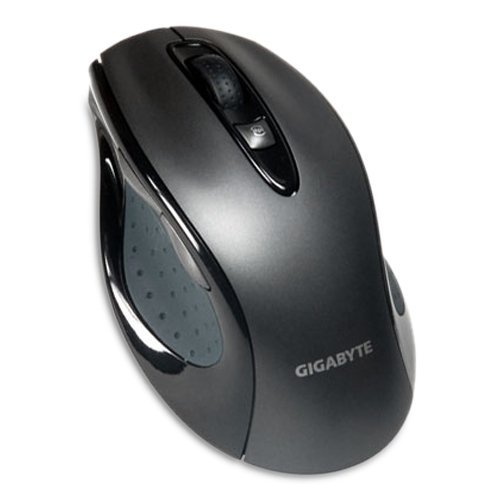
Gigabyte GM-M6800– $16.99
I had never heard of this mouse before doing this article. However the ergonomic design reminds me of the high-end mice of a few years ago. This one looks solid, however the lower DPI isn’t ideal, but the price is.
- Grip type : Palm
- DPI: 800 to 1600
- Features :
- On the fly adjustable DPI (800/1600)
$30-$60
FPS
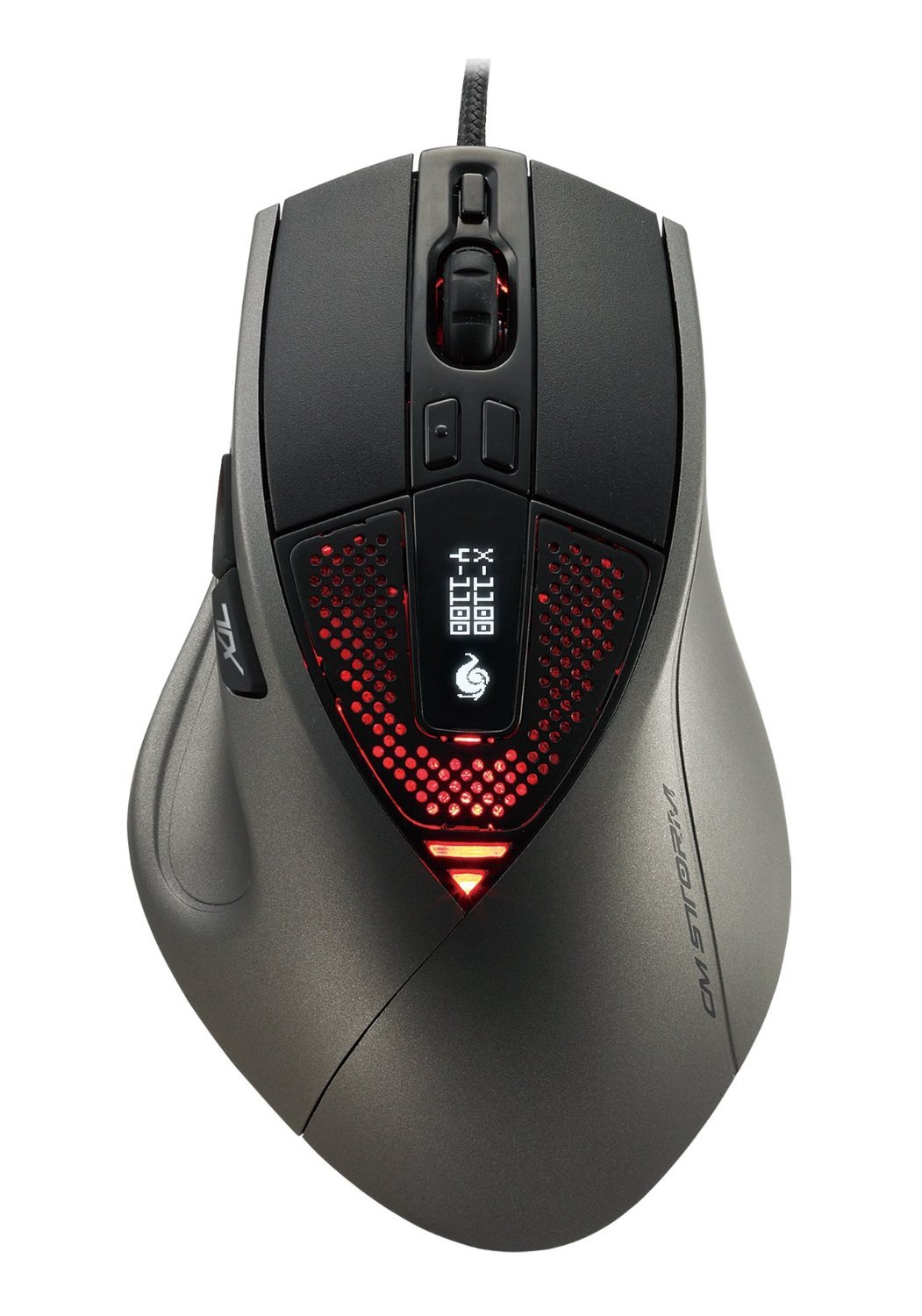
CM Storm Sentinel Advance II – $52.99
This is definitely the entry to a solid FPS mouse. It has 8 programmable buttons, and an ergonomic design.
- Grip type: Palm
- DPI : 200 to 8200
- Features :
- Adjustable Weights
- On the fly DPI Adjustment
- Customizable multicolor LED light system
- Internal memory for profile storage
- 8 Programmable Buttons
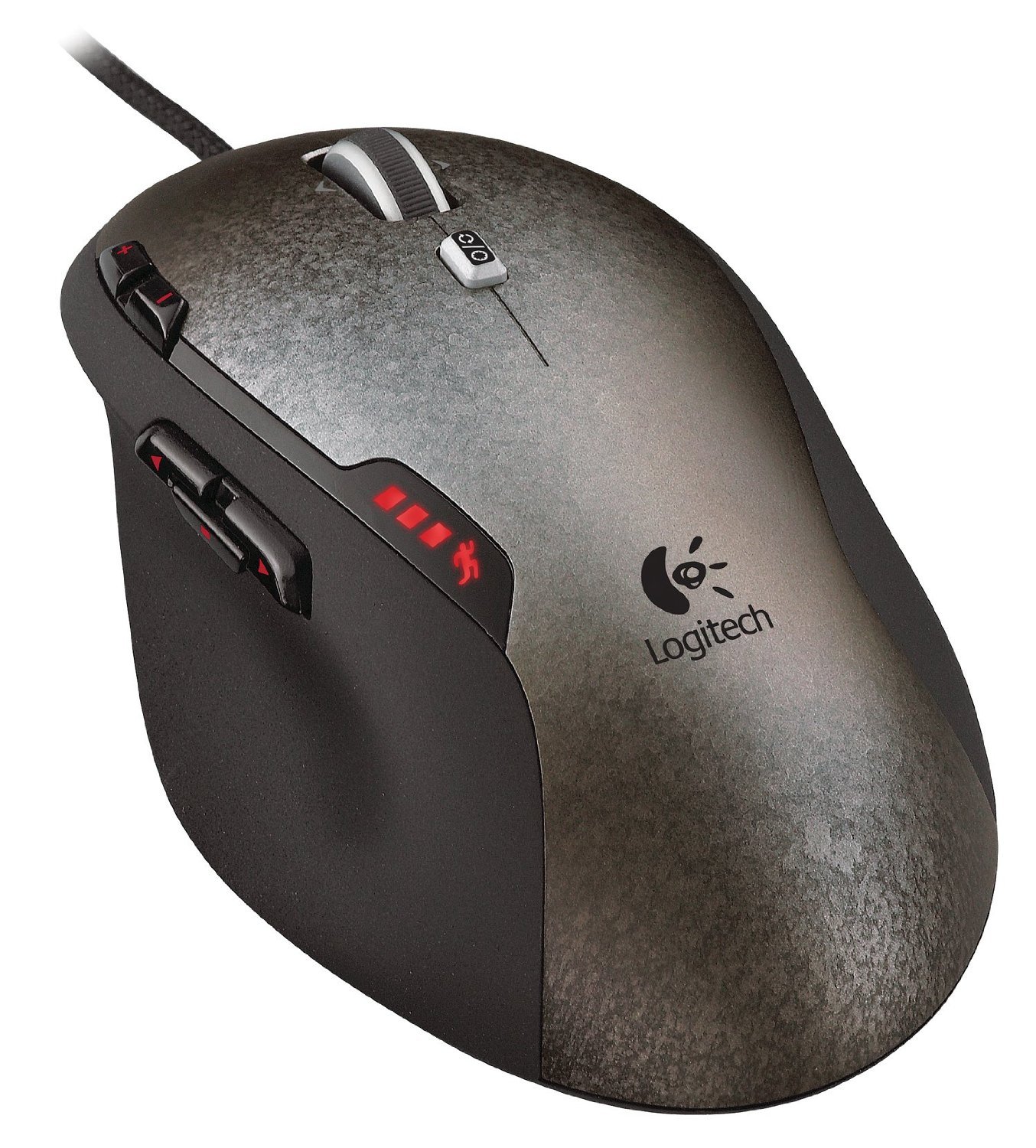
Logitech G500 – $45.73
The Logitech G5 was perhaps one of the first widely popular gaming mice. Once it was declared end of life, Logitech answered to the gamer cries and released the G500.
- Grip type: Palm
- DPI: 200 to 5200
- Features:
- Adjustable Weights
- On the fly DPI adjustment
- Internal memory for profile storage
- 10 Programmable buttons
$60-$100
MMO
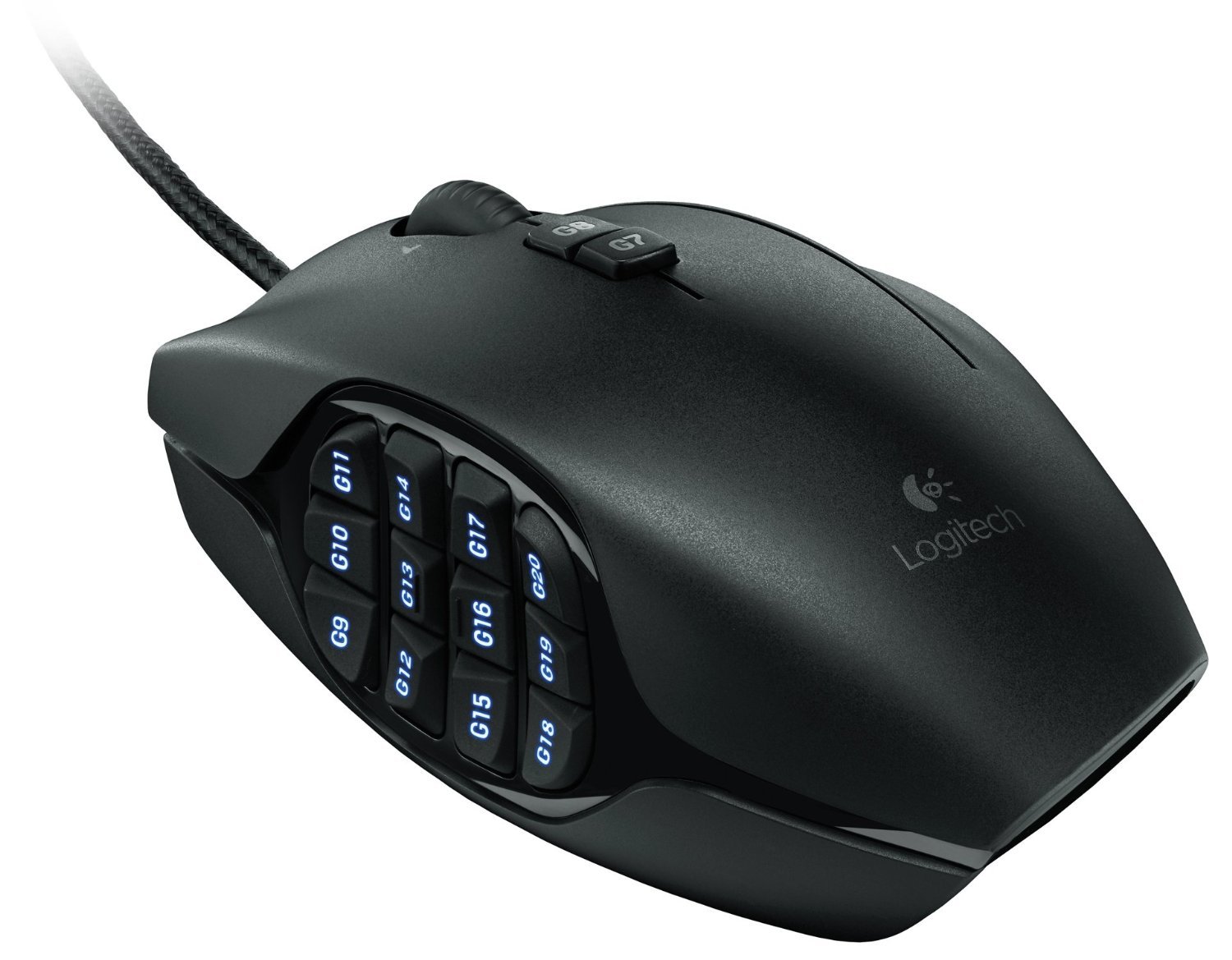
Logitech G600 – $60.88
- Grip type: Fingertip/Claw
- DPI: 200 to 8200
- Features:
- On the fly DPI adjustment
- Internal memory for profile storage
- 20 “MMO-Tuned” programmable buttons
- Customizable multicolor LED light system
- G-Shift button (read up on this one to understand)
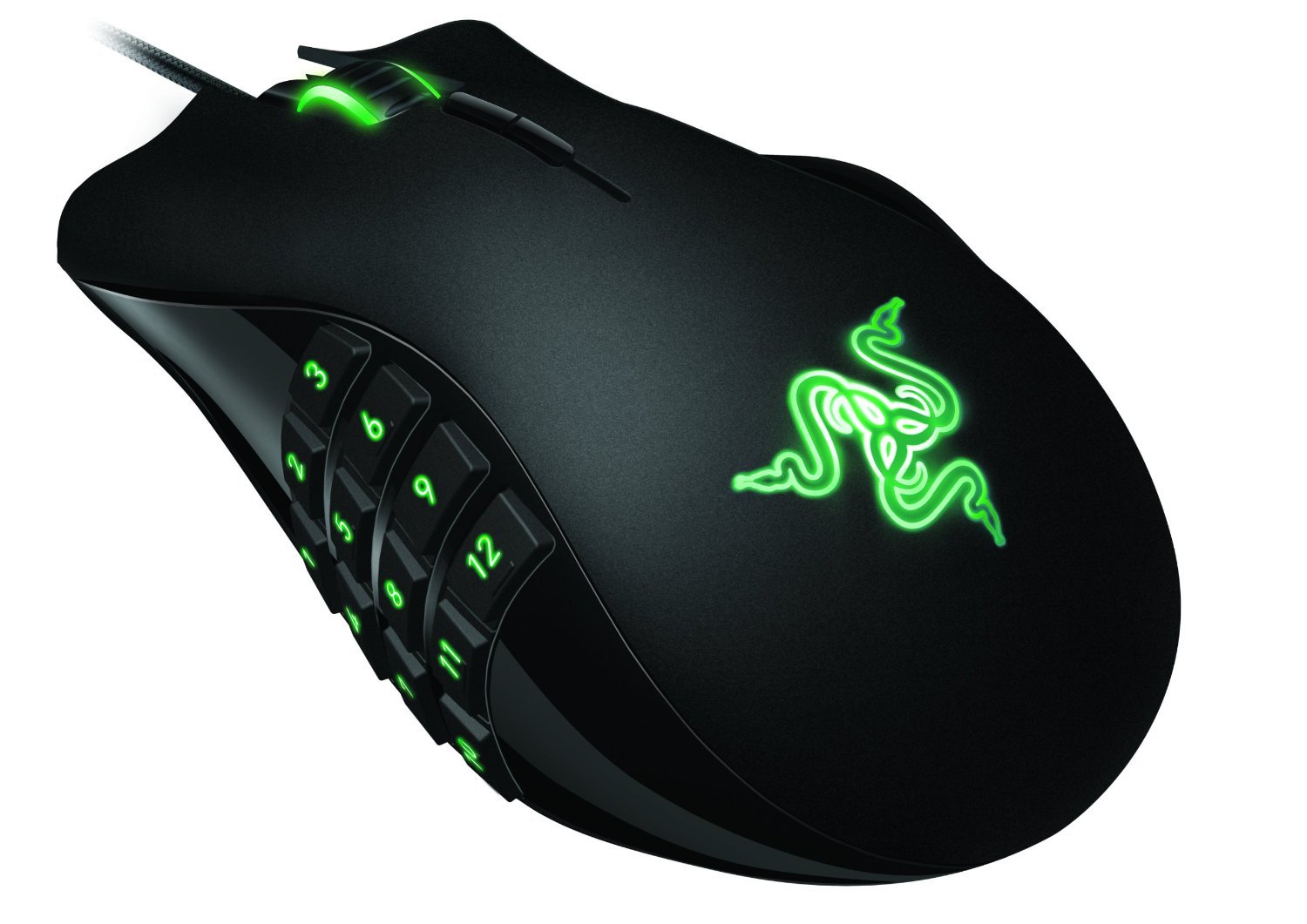
Razer Naga – $69.99
- Grip Type: Claw Grip/Fingertip Grip
- DPI: 5200
- Features:
- 17 “MMO Optimized” programmable buttons
- 3 Interchangable side grips
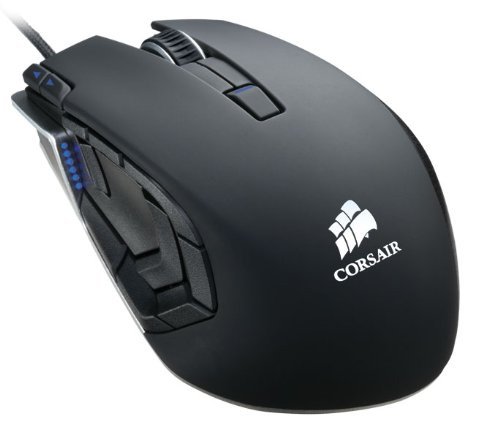
Corsair M90 – $68.99
- Grip Type: Fingertip, Palm, Claw
- DPI: 5700
- Features:
- On the fly DPI adjustment
- 15 Buttons, 9 programmable
- Internal memory for profile storage
FPS
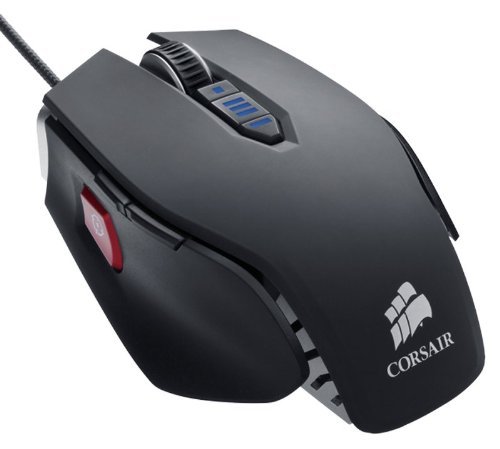
Corsair M65 – $69.99
- Grip Type: Palm Grip
- DPI: 8200
- Features:
- On the fly DPI adjustment
- “Dedicated Sniper button” to switch DPI on the fly
- Internal memory for profile storage
- Adjustable Weights
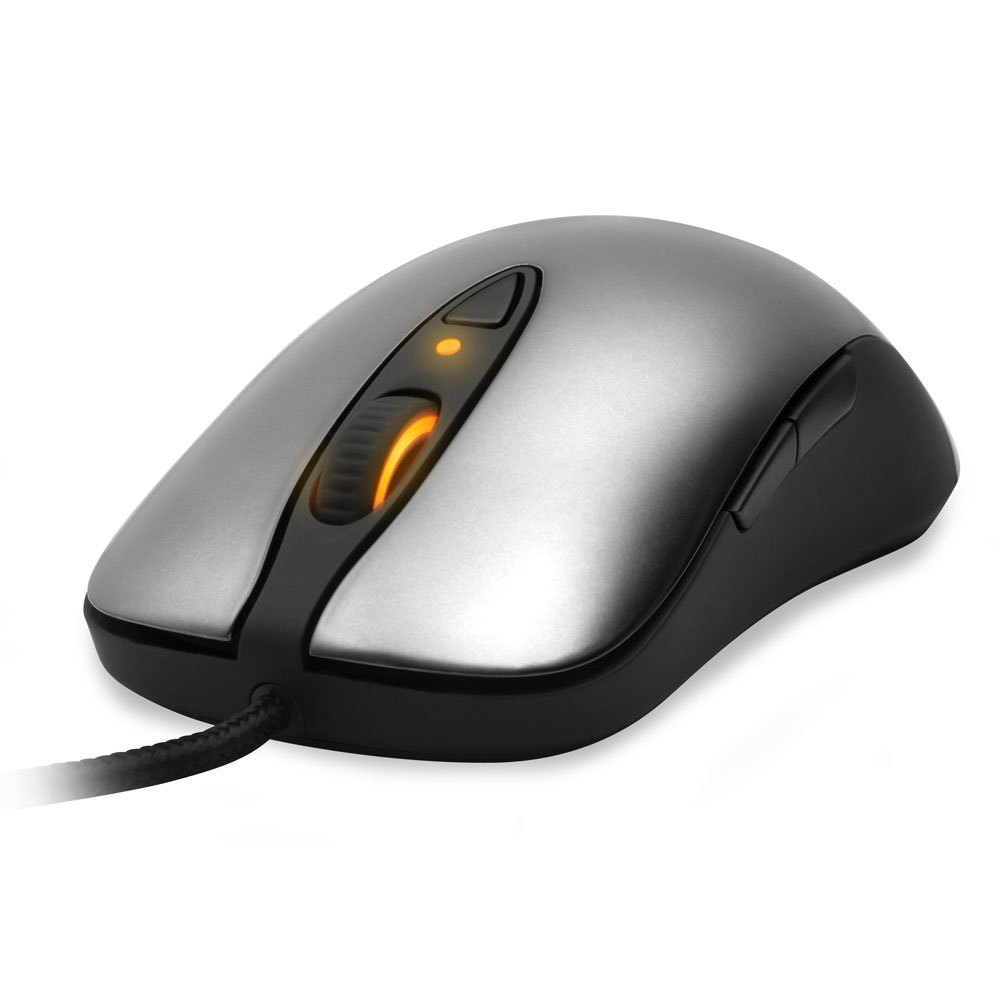
Steelseries Sensei – $80.43
- Grip type: Claw / Fingertip
- DPI: 1 to 11,400
- Features:
- LCD Display on the bottom of the mouse that can be customized to read whatever you want it to.
- Three customizable “color zones”
- On the fly DPI adjustment
- “Advanced” Macro software
- On mouse ARM Processor
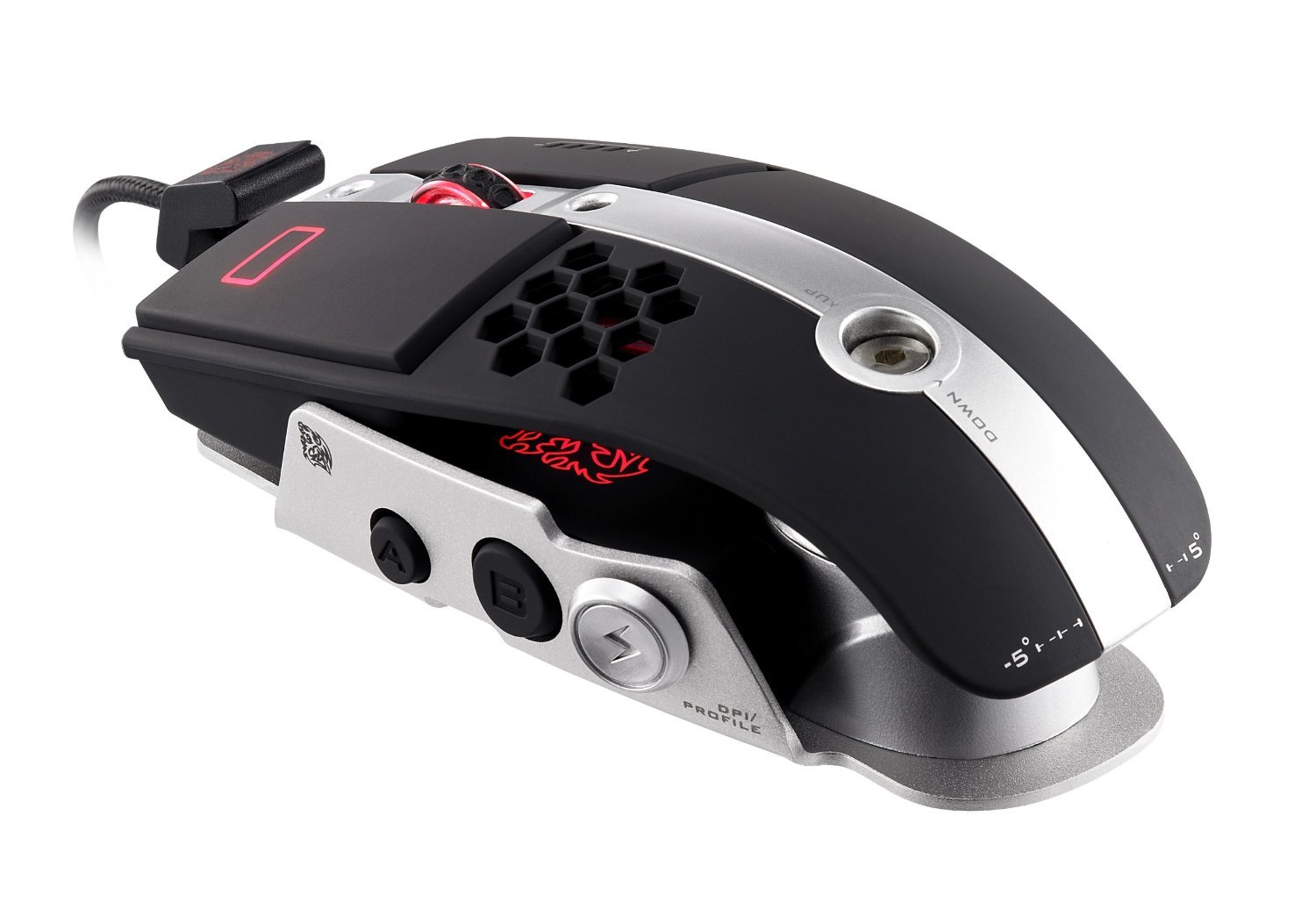
Thermaltake Level 10M – $85.82
- Grip type: Fingertip / Claw / Palm
- DPI: 800 to 8200
- Features:
- On the fly DPI adjustment
- Customizable multicolor LED light system
- Verticle and tilt adjustments
- 11 Macro Keys
- Internal memory to store up to 5 gaming profiles.
MMO/FPS
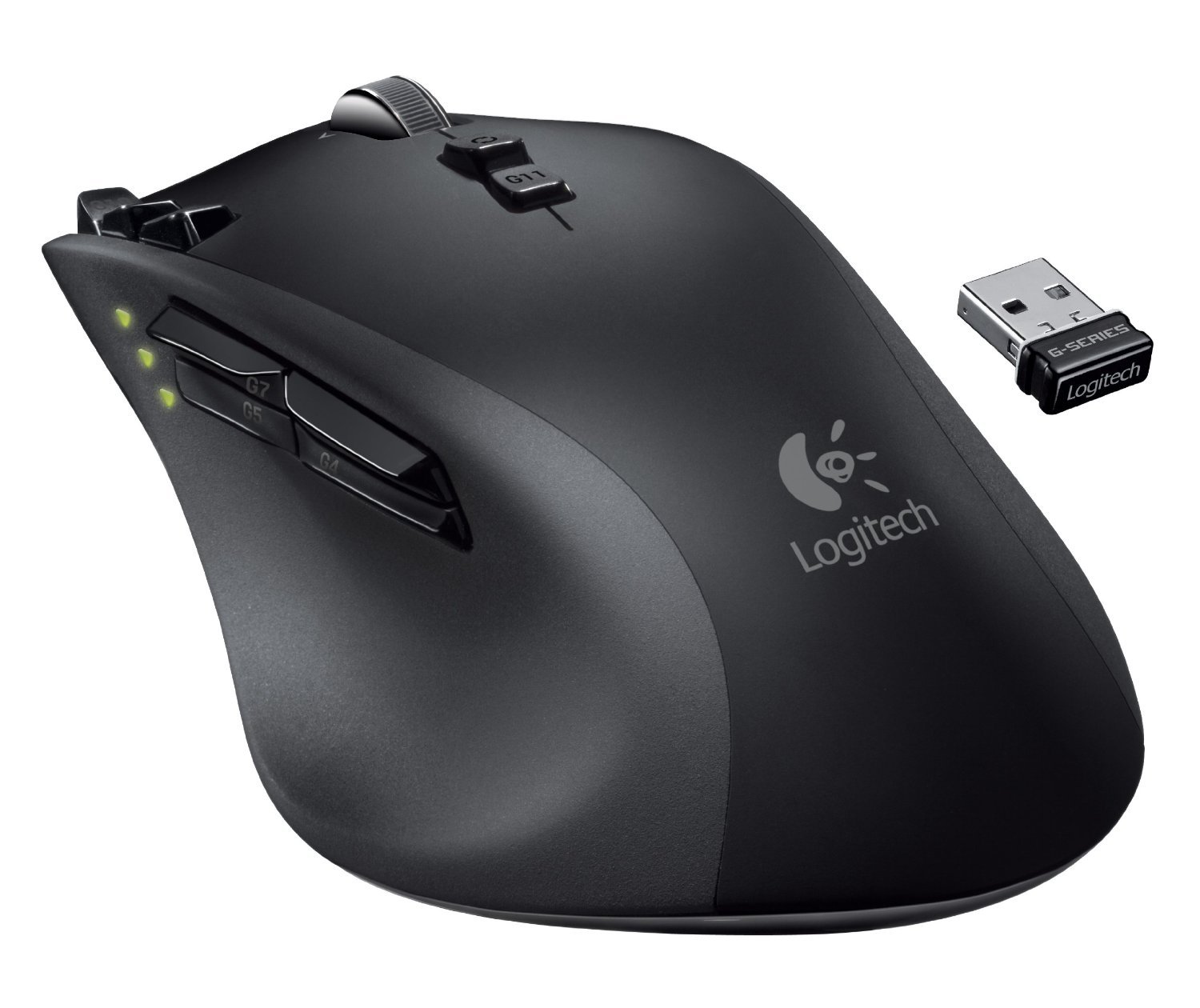
Logitech G700 – $68.92
- Grip type: Palm
- DPI: 200 to 5700
- Features:
- 13 programmable buttons
- Internal memory to store up to 5 gaming profiles.
- Wireless with Wired option
There are so many more mice out there, I’ve only taken the time to list some of the more popular and widely used mice. I’m not necessarily a fan of some of them, but I’m not you. Only you can figure out what you want in a mouse, and get what suites you. Don’t ever go out and buy a mouse just because someone else likes it, make sure it’s going to work for you first.
Thanks for the great piece, very informative. I recently bought a new gaming mouse – replacing my old trusty G5 that served me well for more than 6 years (Had to replace the feet a couple of times but it still works) 😀
I got the Shogun Bros – Ballista Mk-1 and I think it’s fantastic.
PROs:
Very comfortable (for palm grip), 8200 DPI (adjustable – via software and on-the-fly buttons), Cool “sniper-button” to instantly drop the DPI in FPS’s. Great looking with loads of light even LEDS that change colour acording to mode. 10 programmable macro buttons with 5 profiles – leading to a total of 50 options. Quality braided cable. Very reasonably priced around £50/$75 when compared with likes of corsair etc.
CONs:
Software is not as intuitive as it could be. Instructions and manual contain a fair bit of “Engrish” not very well written. But these are minor issues – all in all a cracking little rodent. I recommend it.
Thanks for your input Shoom. I haven’t heard too much about Shogun Bros products, I’ll have to go check them out.
They’re kinda new mate. Only recently been available in Europe this year and in the the US not much longer. But if the Ballista Mk-1 is anything to go by they are ones to watch. Came from nowhere but are good enough to go toe-to-toe with the big boys. Corsair, Razer, Steelseries and Logitech etc.
Salutations!
I really enjoyed reading your article. I have relatively large hands, so I purchased a pre-2013 Razer Deathadder. I do a little of light gaming, some redditing, and Facebooking in my free time. On the topic of gaming mice, I was wondering which would be the most comfertable to use if performance is not a priority.
Cheers.
It’s a tricky one dannywestside, but you already brought up the elephant in the room. It all depends on what you feel comfortable and your style. You have large hands, I have relatively small hands so I can use a palm grip on a mouse that maybe designed for claw, larger hands comfortably. Ironically if you prefer the claw you might find a smaller mouse than I more comfortable.
All I can say is, don’t spend silly money on a mouse. It’s not needed, even if you are a pro-level gamer there is no need to spend more than £50 on a mouse. For general use and a bit of gaming you can’t beat the Logitech G5/G500/G500s series. Very comfortable for all hand styles and they last forever.
If you want a few more options then as I said before the Shogun Bros: Ballista Mk-1 is a wonderful mouse if you can find one.
Stay away from wireless – they suck. And stay away from the Thermaltake Level 10M – it sucks really bad, overpriced and very uncomfortable.