
Mechanical Keyboard Switch Types
Currently their are five main switch types with a couple odd key types which we will go over. A word of caution is that why one person likes a certain kind that does not mean you will. We at ModCrash highly recommend if possible trying out the different types of key switches to find the one that is most comfortable for you. All these switches we are going over have differences to them that someone may love and you hate.
The mechanical switches we are going to showcase are coming from Cherry. They make the most common mechanical switch types which are known as Cherry MX Switches.
Cherry MX Black Mechanical Switch
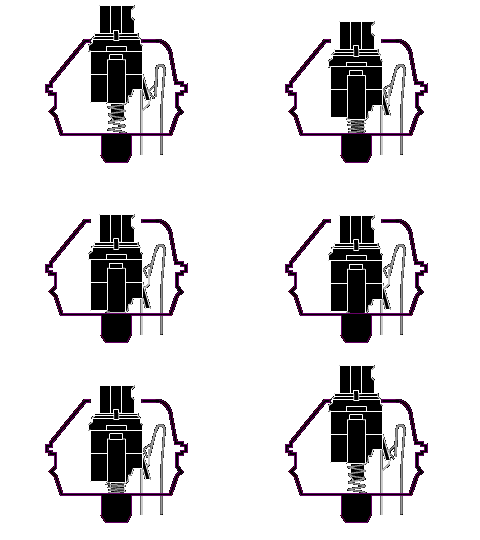
Cherry MX Black Mechanical Keyboard Switch
Type: Linear Switch
Tactile: No
Clicky: No
Actuation Force: 60g (40g-80g overall)
Key Travel: 2mm to actuation, 4mm to bottom
Cherry MX Black switches are considered the gamers choice. They are linear switches which means they are not tactile. The reasoning for these being the perfered gamers switch is that when gaming you are going to be bottoming out your keys anyway. Their is no need for a tactile bump when you are constantly bottoming out your keys. Since these keys do bottom out very easy they are not considering great for typing but can work just as well. Also since the actuation and release points are the same it helps gamers who are “double tapping” feel smooth.
Cherry MX Red Mechanical Switch
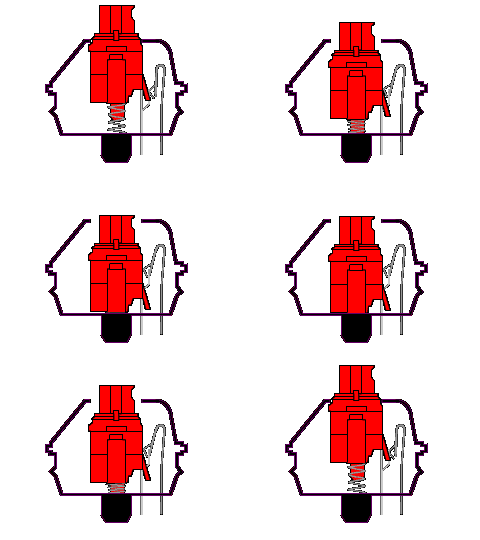
Cherry MX Red Mechanical Keyboard Switch
Type: Linear Switch
Tactile: No
Clicky: No
Actuation Force: 45g
Key Travel: 2mm to actuation, 4mm to bottom
Cherry MX Red switches is another gaming switch becuase of the linear type without a tactile bump to it. The Red switches are very similar to black switches except they have a lighter feel. This is where it comes in testing out different switch types to find the one that is best for you. I know people that love the reds and hate the blacks but also vice versa. The Reds have all the same qualities as the black switches but like I said have a “lighter” feel towards them.
Cherry MX Blue Mechanical Switch
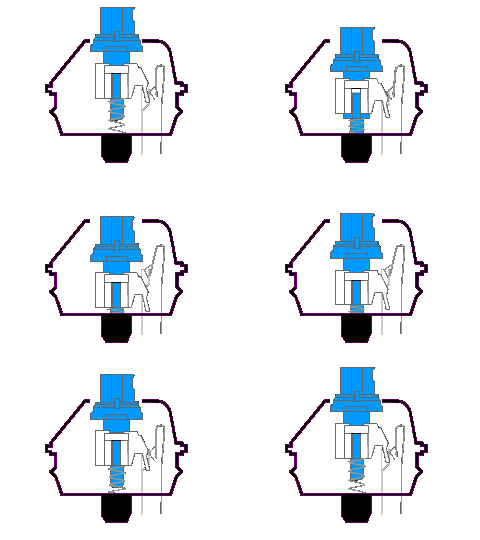
Cherry MX Blue Mechanical Keyboard Switch
Type: Tactile & Clicky Switch
Tactile: Yes, precise
Clicky: Yes
Actuation Force: 50g (60g Peak Force)
Key Travel: 2mm to actuation, 4mm to bottom
Now the blue switch types are what is considered best for typing. They have a very good tactile feedback and give you that satisfying “clicky” sound when pressing the keys. Since the release point is above the actuation point some people do not like these switch types since it can be difficult to “double tap” but most people with these keys say they will work just fine. It possible that if you have used blacks or reds before you try blues is when you could have this difficulty.
Cherry MX Brown Mechanical Switch
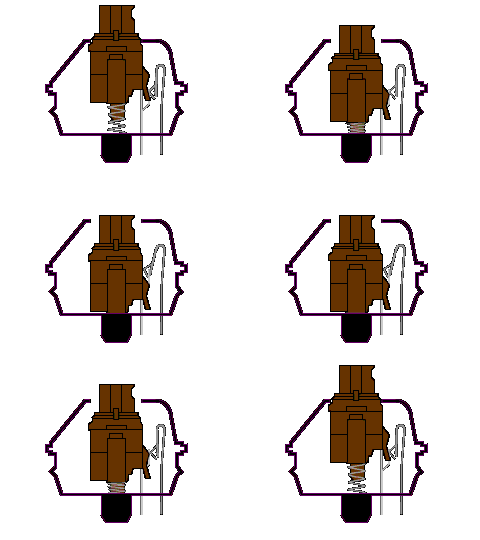
Cherry MX Blue Mechanical Keyboard Switch
Type: Tactile Switch
Tactile: Yes
Clicky: No
Actuation Force: 45g
Key Travel: 2mm to actuation, 4mm to bottom
Cherry MX Browns are a very good switch. They are considered very good at both gaming and typing but not great for either one. On one hand they have the tactile bump to let you know the key has been pressed but since the release point and actuation point are closer together it is said to give you better control over “double tapping”. These keys are pretty light at 45g.
Cherry MX Green Mechanical Switch
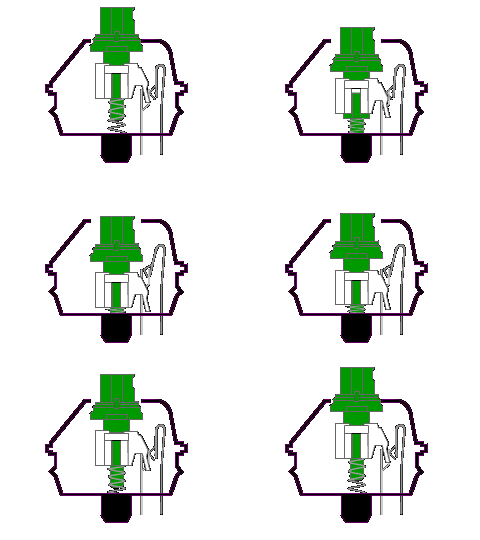
Cherry MX Green Mechanical Switch
Type: Tactile Switch
Tactile: Yes
Clicky: Yes
Actuation Force: 80g
Key Travel: 2mm to actuation, 4mm to bottom
Cherry MX Green switches are awhile were used for space bars due to their high than normal force to press the key. Cooler Master and a couple of others have started making their mechanical keyboards with all green keys. The green switches are related to blue switches for their tactile bump and “clicky” sound they make when pressed. Gamers have said these are good to game with but they were made more for the typist with a heavy finger that likes resistance in their keys.
Maybe I was just unlucky but I have had to RMA the Corsair K90 twice because of of dodgy backlight LEDs. Within less than 3 weeks a light broke. First time the “2” key on the 10 pad and then the right arrow key. For a close to £100 keyboard I expect better.
That sucks man, definitely some bad luck I would think from everything I have read about the K90 and what the people I know that actually own one have said.