
Checking out the NZXT H630
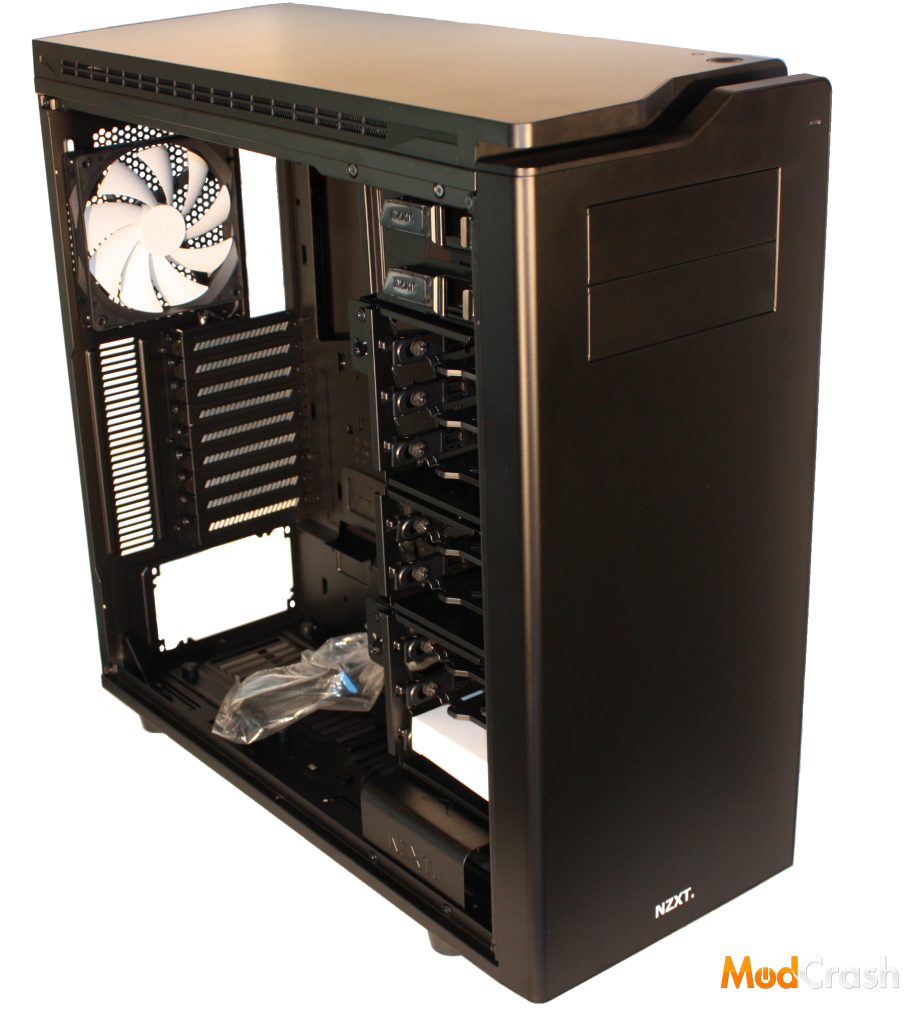
NZXT H630 Before we put our hands on it.
Perhaps one of the most talked about thing about the NZXT H630 is its sleek design. The entire case is built out of steel, and features straight lines with slight curves to give it more sex appeal rather than a boxy look. Each panel (Sides, front, and top) comes stock with sound dampening material, to keep your acoustics to an all time minimum so while she’s screaming, she’s not making your ears bleed. The case is available in black or white, and both come with the iconic white fans.
The top of the case supports up to 2 x 200MM, 2 x 140mm, or 3 x 120mm fans. If you’re more a water cooling kind of guy, it can also support up to a 360mm radiator on the top. The top can easily be removed to install extra fans or a radiator, and includes the sound dampening material found on the side panels and front panel.
The front can also support 2 x 200MM, 2 x 140mm, 3 x 120mm fans, or up to a 360mm radiator, and contains 2 5.25″ drive bays.
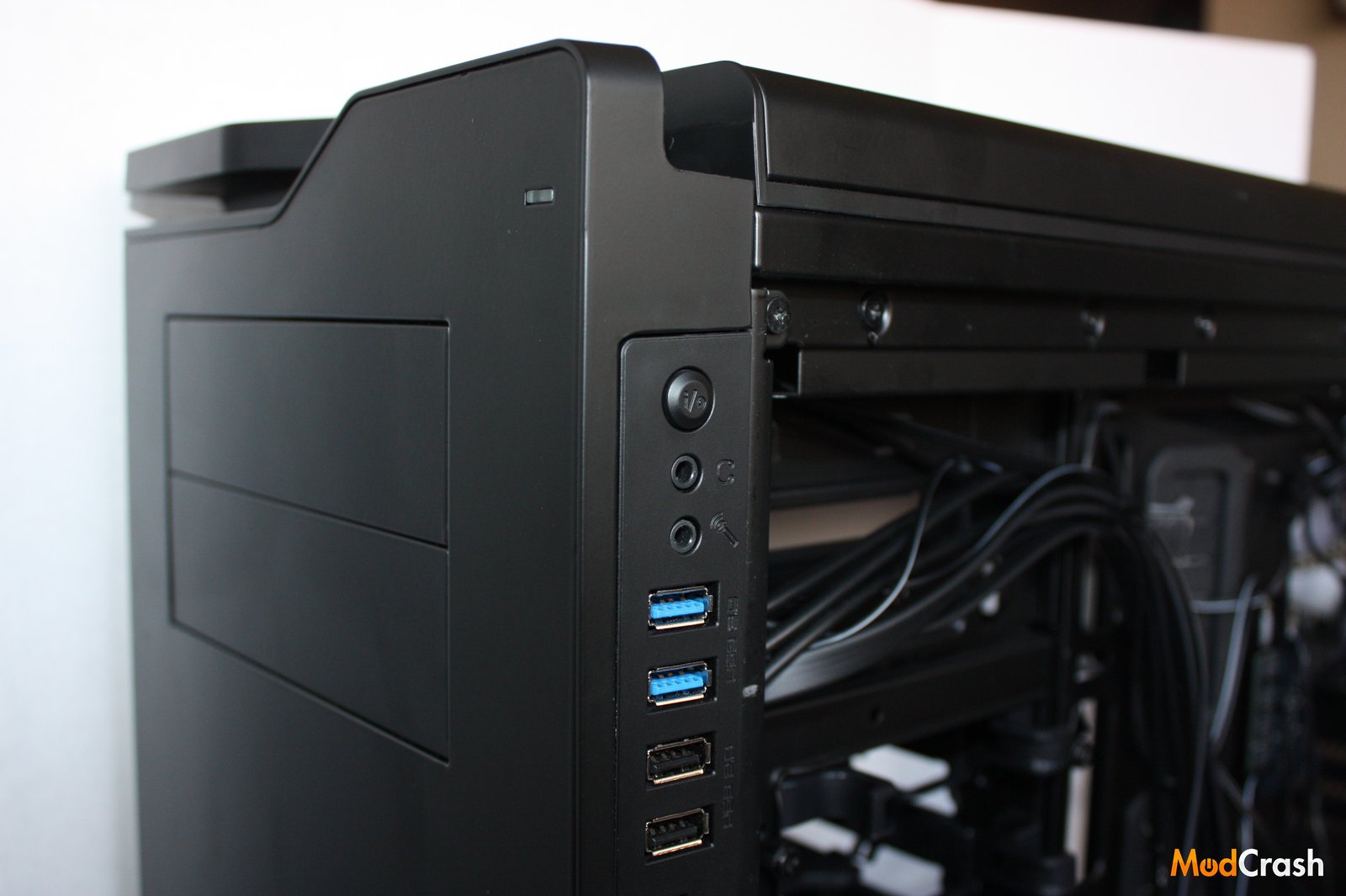
Front ports and I/O lighting toggle button.
On the right side of the H630 you will find 2 audio& mic ports, 2 USB 2.0 ports, 2 USB 3.0 ports, as well as a SD card reader. To the top of those is a I/O button to toggle the I/O lighting.
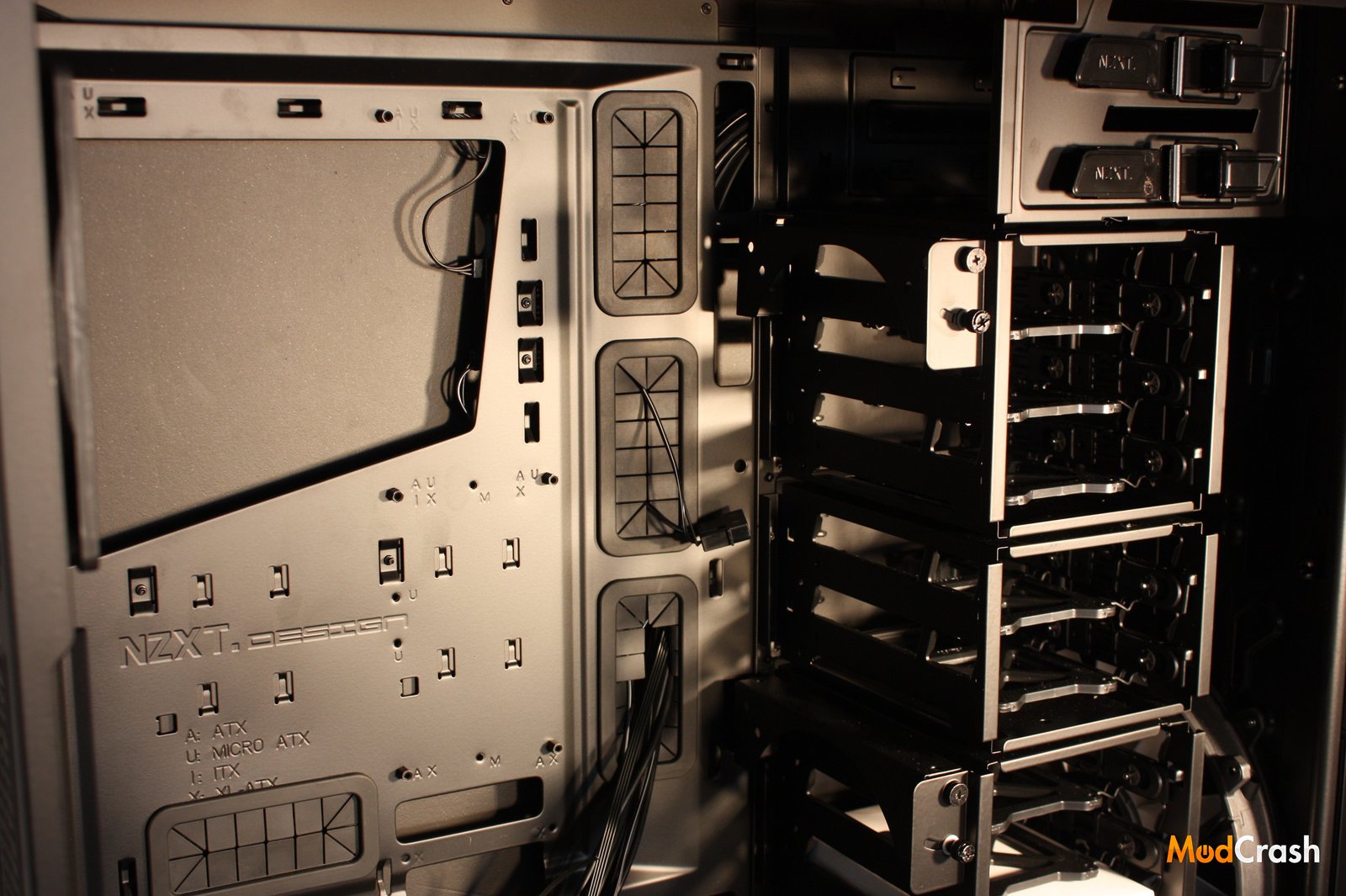
“The Dark Knight”
Diving deeper into the beast, we find its core, where its strongest features are shown. From here we can see the eight toolless drive removable 3.5″/2.5″ drive bays. Each removable bay is made of a thick rubber type material that is removed by pinching the tabs on the back of the case. I’m not entirely sure why they choose to do this instead of placing the tabs in the front, but if you aren’t one to remove your 3.5″/2.5″ frequently, this shouldn’t be an issue. Also the rubber trays don’t exactly feel to be the sturdiest, but again, unless you constantly move bays in and out, I see no issue.
To the left of HDD bays, you can see the two 120mm/140mm pivot fan mounts. These pivot mounts swing up and down to direct your airflow to where you need it the most. Each of the eight HDD bays can be removed by unscrewing four thumb screws on the backside of the case. This also gives you the option to mount longer PCI cards should you ever need it, or the space to mount a reservoir.
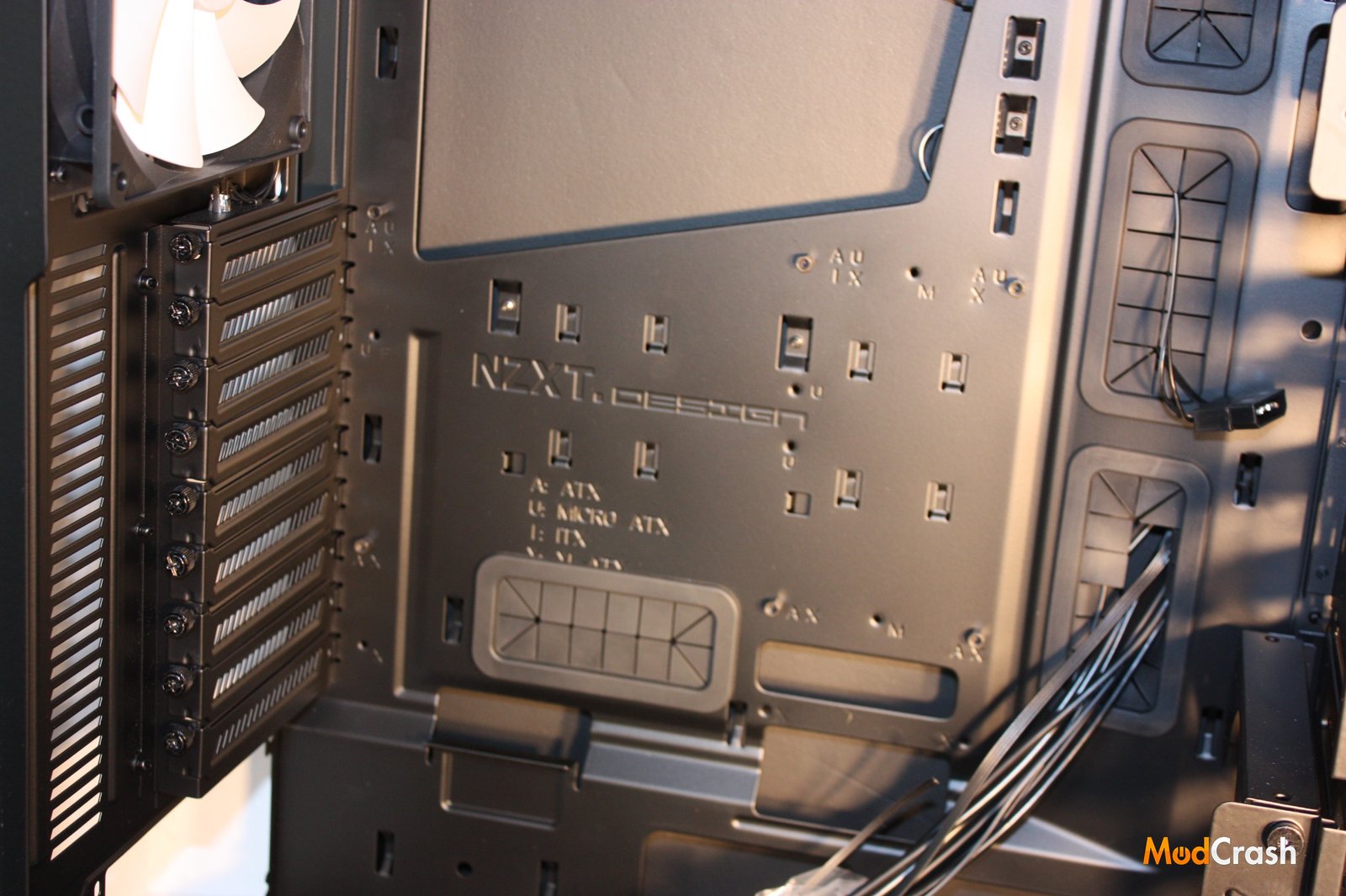
Motherboard Tray and Expansion Slots
One major plus to the H630 is the pre-installed motherboard standoffs, which are also colored black or white to match your case. The tray, like most today, comes marked with a diagram of sorts to aid you in mounting your motherboard. While nothing new, it’s a nice thing to have.
The H630 has 9 expansion slots, and rubber ports for cable management.
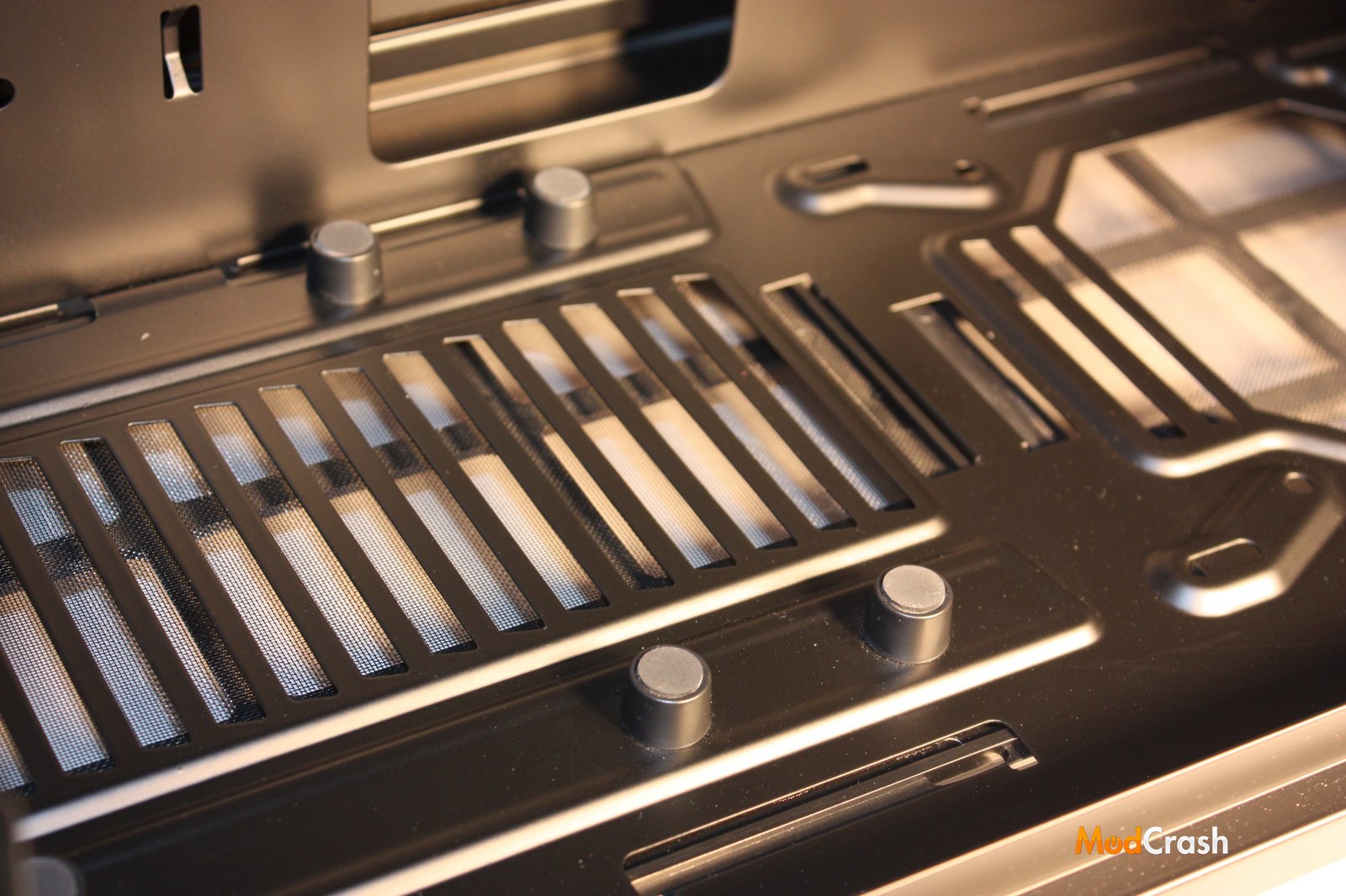
PSU feet and bottom filters.
At the very bottom of the H630 there is two removable filters, one for the front, and one for the back. While I do love removable filters and their ease of cleaning, the front filter kept coming out every time we’d put our hand down there to move the case. The back filter however seemed to hold firm. Again, this isn’t something that should be a concern unless you like moving your super tower around a lot.
There are also 6 rubber feet located by the back filter to keep your power supply from sitting flat against the bottom of the case.
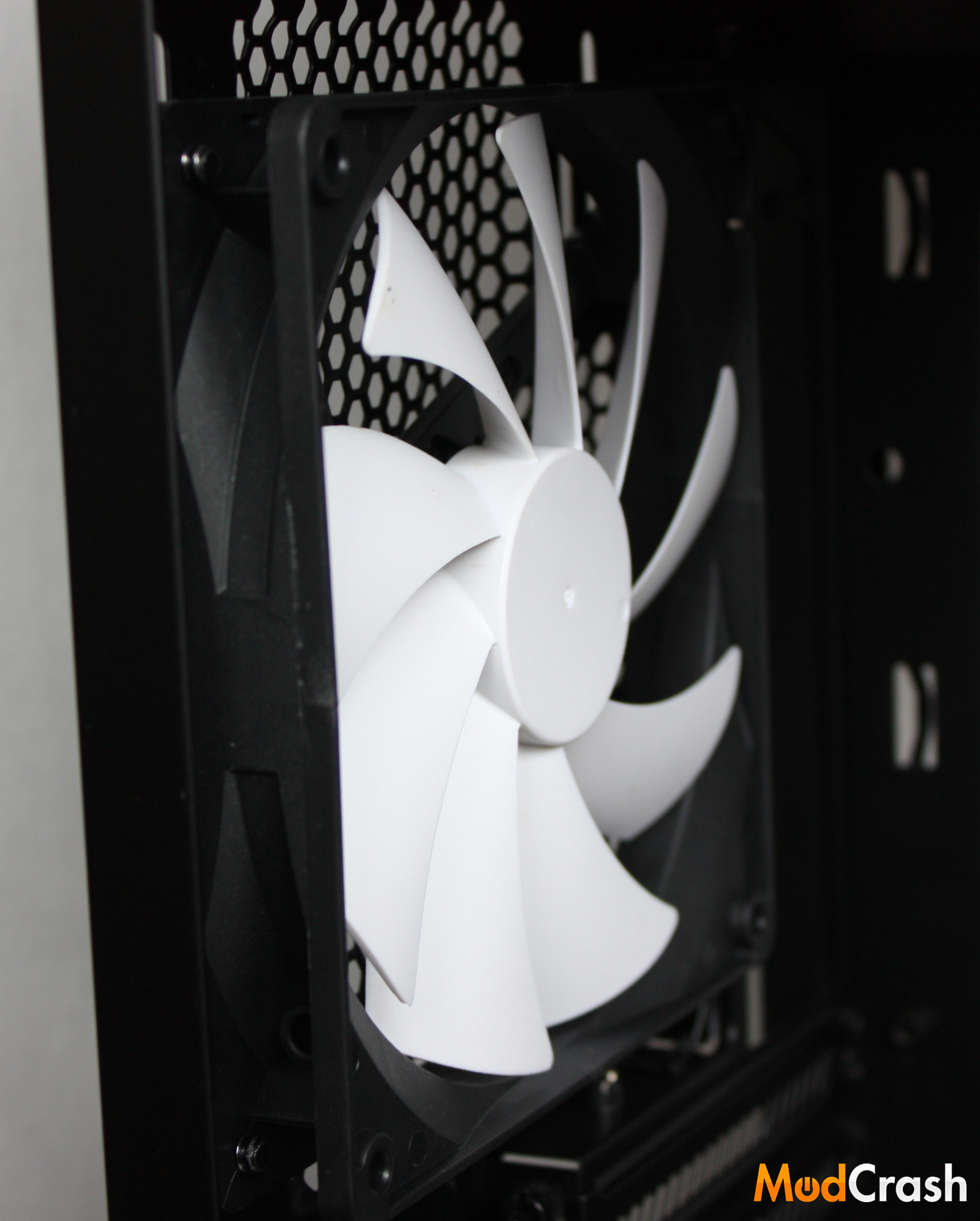
Yes the NZXT H630 blows. In a good way.
It’s something about the iconic NZXT white fans that just looks sexy. Seen here is the 140MM rear fan included with every NZXT H630.
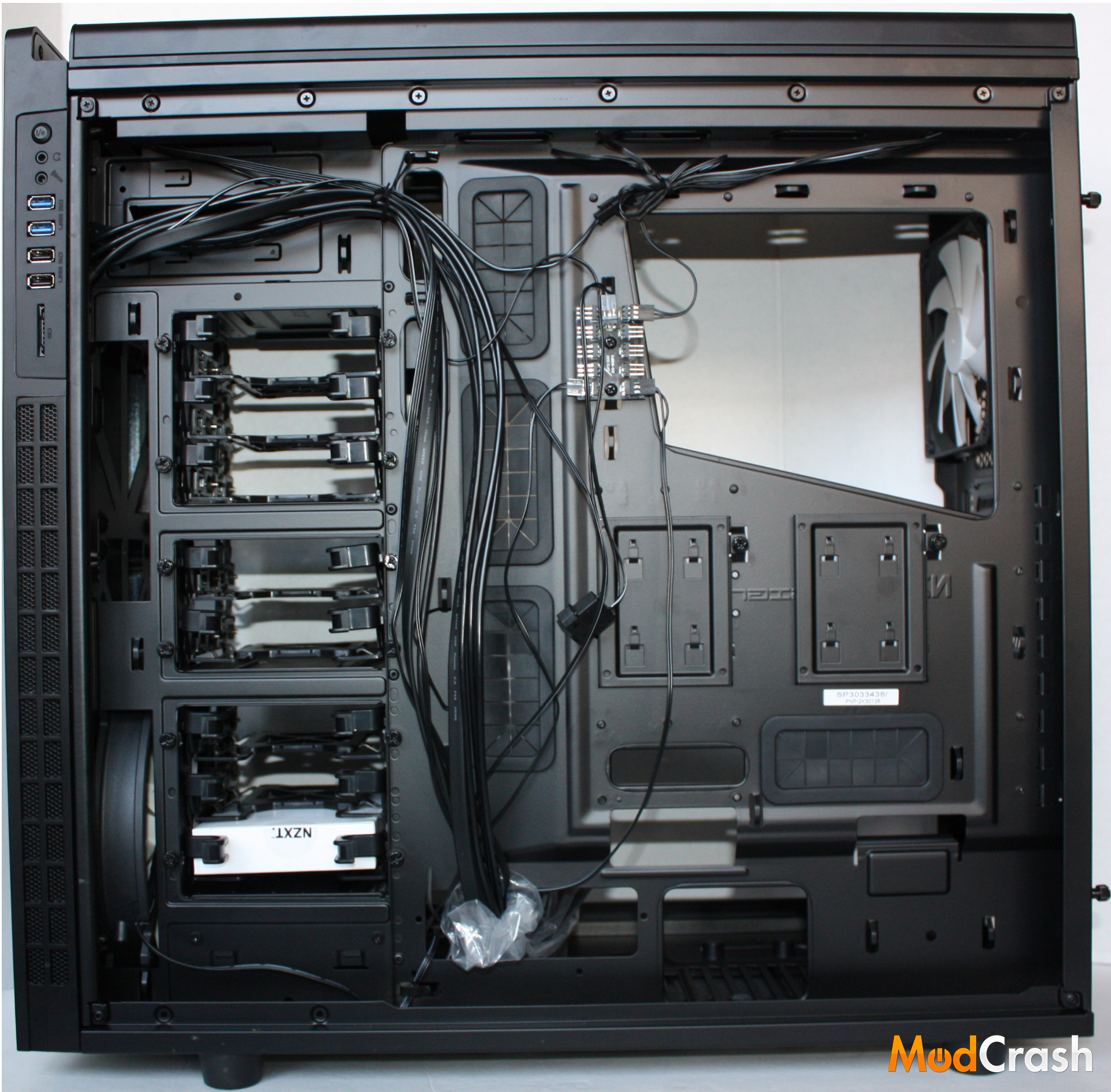
The backside of the NZXT H630.
The back side is where all the initial business takes place. It’s where you’ll find the tabs to remove the 3.5″/2.5″ HDD sleds, and two additional 2.5″ SSD mounts behind the motherboard tray.
Moving up a few inches above the SSD mounts, you’ll find a 10 port fan hub, almost exactly like the NZXT Grid. While you may think you’ll never need a fan hub like the Grid, I can tell you that Clixxer has been raving about it since he put it in his rig. It just makes cable management, and fan expansion an easy task.
Next Page: Our take on the NZXT H630